All-in-one business software wins when your teams share data every day and you want one login, one bill and no integrations to maintain. Best-of-breed tools win when one function needs deep, specialised features. Most growing companies do best with an all-in-one core for HR, sales and operations, plus a few specialist tools connected to it.
This is one of the most common software decisions a growing company faces, and the honest answer is "it depends". This guide sets out what it depends on: where each approach is genuinely stronger, how the hybrid model works, what each costs over three years, and the questions that settle the decision for your company.
All-in-one or best-of-breed: which should you choose?
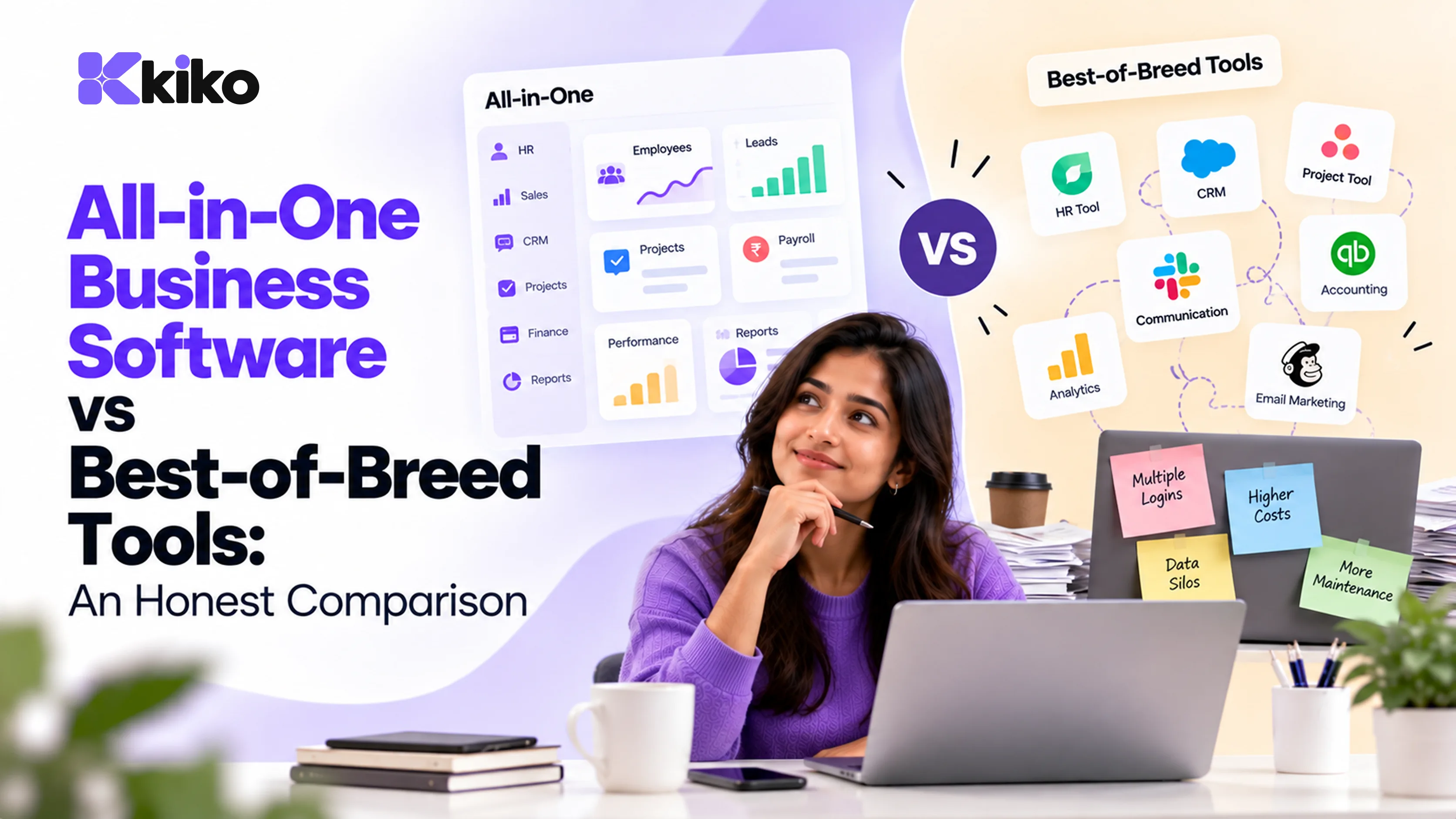
An all-in-one platform covers several business functions, such as HR, CRM and project management, in one product with one data model. A best-of-breed approach picks the strongest specialist tool for each function and connects them with integrations. Use this table to see which way your company leans.
| Factor | Lean all-in-one if... | Lean best-of-breed if... |
|---|---|---|
| Data shared between teams | Hires, deals and projects cross teams every day | Functions work mostly on their own |
| Depth needed in one function | Your processes are fairly standard | One function has unusual or highly complex needs |
| Admin and IT capacity | Small team, little time to run integrations | A dedicated team that can build and maintain integrations |
| Pace of change | Growing fast, processes still changing | Stable processes and large specialist teams |
| Reporting | You need cross-functional reports, such as revenue per head or project margin | Reports within each function are enough |
| Budgeting | You prefer one contract and one predictable bill | You prefer each team to choose and pay for its own tools |
| Existing tools | Several renewals are due and tools overlap | Recently implemented tools are working well |
If most of your answers sit in one column, you have your direction. If they are split, the hybrid model below is probably the right fit.
Where are all-in-one platforms stronger?
- One data model. An employee, customer or project exists once. Nothing has to sync, so nothing can fall out of sync.
- Cross-team automation without glue. Workflows can span functions natively, for example a won deal creating a project, or an accepted offer starting onboarding.
- One login, one permission model, one audit trail. Access is granted and removed in one place, which simplifies offboarding and security reviews.
- Cross-functional reporting. Questions that mix HR, sales and operations data can be answered from one system instead of a spreadsheet built from exports.
- Less administration. One vendor, one contract, one security review and one renewal date.
- A consistent interface. New hires learn one product instead of five, which shortens onboarding.
These strengths matter most when the bottleneck in your company is the handoff between teams rather than the depth of any single tool. For a fuller picture of this model, see our guide to what a business operating system is.
Where are best-of-breed tools stronger?
Specialist tools have real advantages, and a fair comparison has to name them.
- Depth in their niche. A vendor that builds only one product can go further in it. Areas such as advanced marketing automation, complex quoting and configuration, high-volume recruiting, and specialised manufacturing or accounting workflows often need that depth.
- Faster progress in one area. A specialist's whole roadmap goes into one function, so new capabilities in that function may arrive sooner.
- Each team picks what suits it. Teams with strong preferences or very specific workflows can choose their own tool.
- Lower dependency on one vendor. You can replace one tool without touching the others, and an outage or price change affects one function, not all of them.
- Existing skills. If your team already knows a tool well, that expertise has value that a switch would reset.
The trade-off is that every connection between tools becomes your responsibility. That cost is easy to overlook because it rarely appears on an invoice. We break it down in how much SaaS sprawl is really costing you.
What is the hybrid model?
The hybrid model puts your shared core on one platform and connects a small number of specialist tools around it. It keeps the data that every team needs in one place, while allowing depth where a function genuinely needs it.
Three rules keep a hybrid stack from drifting back into sprawl:
- Define the core. People, customers, deals and projects live in the platform. That is the system of record for each, and specialist tools read from it or write back to it.
- Make specialists earn their place. A separate tool should exist only where the core platform cannot meet a clear, specific need.
- Review once a year. As the core platform improves, some specialist tools may no longer be needed.
A typical hybrid setup with Kiko looks like this: Kiko HRMS, Sales CRM and Operations as the core; accounting in QuickBooks or Xero; payments in Stripe; email, calendar and documents in Google Workspace or Microsoft 365; team chat in Slack; and Zapier for anything without a native connection.
What does each approach cost over 3 years?
Subscription price is only one part of total cost of ownership (TCO). A fair comparison includes everything you will spend to run each option:
3-year TCO = subscriptions + implementation and migration + integration build and upkeep + admin time + manual reconciliation + training.
The worked example below uses illustrative numbers for a hypothetical 100-person company deciding whether to keep a five-tool stack or move to an all-in-one platform. They are not quotes from any vendor. Replace them with your own.
| Cost line (3 years) | Keep best-of-breed stack | Move to all-in-one |
|---|---|---|
| Subscriptions | ₹15 lakh/year × 3 = ₹45 lakh | ₹16 lakh/year × 3 = ₹48 lakh |
| Implementation and migration (one-off) | ₹0 (already live) | ₹5 lakh |
| Integration tools and upkeep | ₹3 lakh/year × 3 = ₹9 lakh | ₹1 lakh/year × 3 = ₹3 lakh |
| Admin time across tools | ₹2.5 lakh/year × 3 = ₹7.5 lakh | ₹1 lakh/year × 3 = ₹3 lakh |
| Manual data reconciliation | ₹4 lakh/year × 3 = ₹12 lakh | ₹1 lakh/year × 3 = ₹3 lakh |
| Training | ₹1 lakh/year × 3 = ₹3 lakh | ₹1 lakh up front + ₹0.5 lakh/year × 3 = ₹2.5 lakh |
| 3-year total | ₹76.5 lakh | ₹64.5 lakh |
In this example the all-in-one platform costs more in subscriptions and has a one-off migration cost, yet comes out about ₹12 lakh lower over three years because of lower integration, admin and reconciliation costs.
The result can easily flip. If your teams rarely share data, reconciliation costs fall and the gap narrows. If you would use only one or two modules of a platform, or a specialist tool is much cheaper for your largest team, best-of-breed may win. The two inputs that swing the answer most are the subscription difference and the hours spent moving data between tools, so measure those carefully. For platform pricing, request a quote through the Kiko pricing page.
Which questions should you ask to decide?
- Which data do two or more teams need every week, and how does it move between them today?
- Which function, if any, has needs a general platform cannot meet? Test that function specifically in any trial.
- How many hours a month go into maintaining integrations and copying data?
- Who will own administration of the stack, and how much time do they have?
- Which contracts renew in the next 12 months?
- Does each option meet your security needs, such as SSO, role-based permissions, audit logs and relevant certifications?
- Can you export all your data in a usable format if you leave?
- Can you move in phases, one function at a time?
Frequently asked questions
Is all-in-one software good for startups?
Usually, yes. Startups have little admin capacity and their teams share data constantly, which suits a single platform. Check that the platform can grow with you, and avoid paying for modules you will not use for a year or more.
Do all-in-one tools lack features?
Some modules in an all-in-one platform are less deep than the leading specialist tool in that category. For most standard processes the depth is enough. List your must-have features per function and test each one with real data during a trial rather than relying on a feature checklist.
Can I switch from best-of-breed to all-in-one gradually?
Yes, and it is usually the safer route. Move one function at a time, starting where a renewal is due or where manual work is highest, and keep the old tool read-only for a few weeks. Kiko has importers for HubSpot, Salesforce, BambooHR, Rippling, Notion and CSV or Excel files.
What is a composable business platform?
A composable platform is assembled from modular components connected through APIs, so you can add, remove or swap parts as needs change. It sits between a single suite and a loose collection of tools. It offers flexibility but needs strong integration discipline and someone who owns the architecture.
See which Kiko modules replace which tools
Bring your current tool list and we'll show you which ones Kiko's HRMS, Sales CRM and Operations modules could replace, which ones to keep and connect, and what the switch would involve. Book a demo to map your stack.