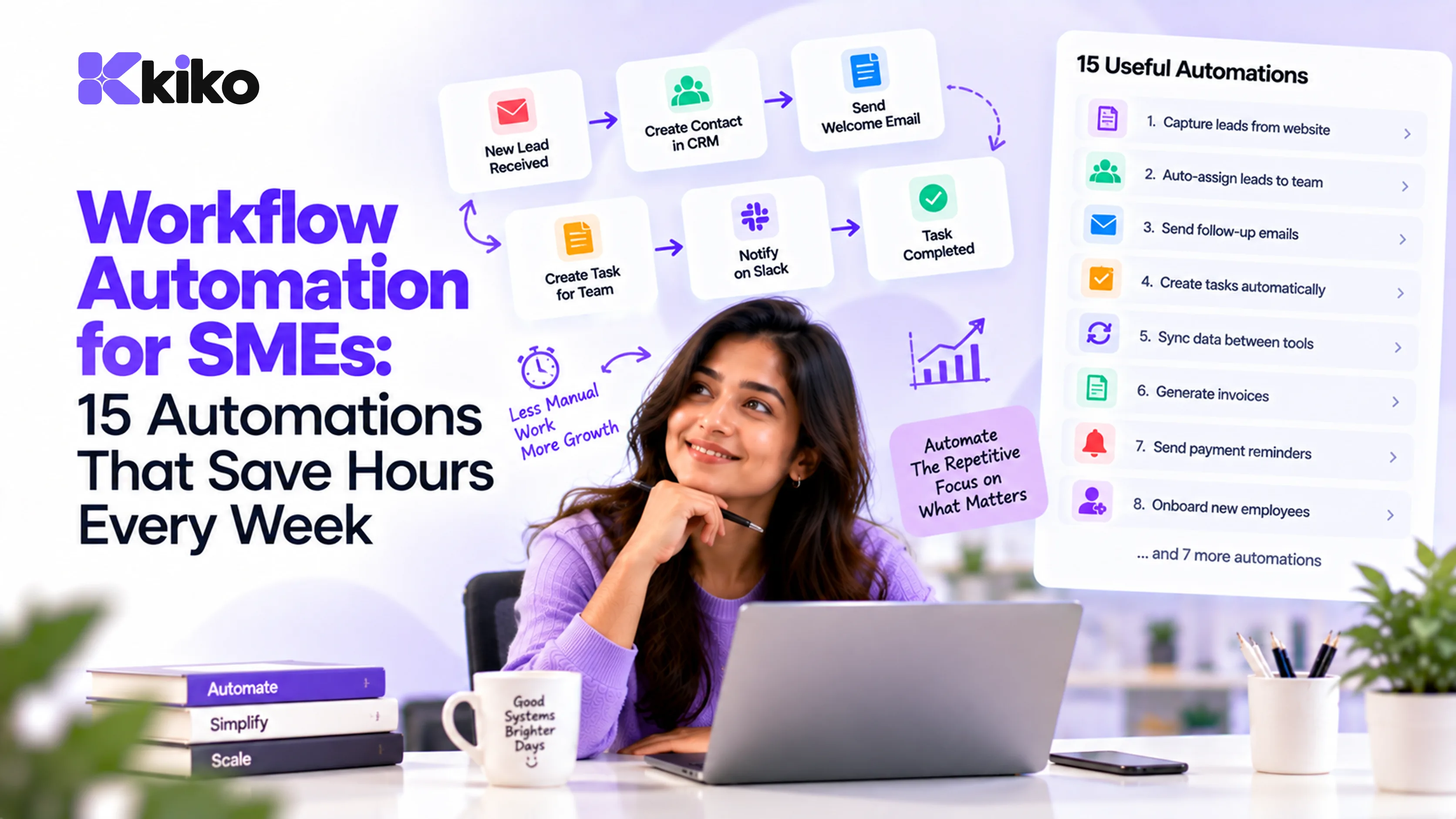
The automations that save SMEs the most time connect teams: create a project and invoice when a deal is won, start onboarding tasks when an offer is accepted, update payroll when leave is approved, and alert managers when tasks slip. Start with high-volume, rule-based tasks that currently need someone to copy data between tools.
What are the 5 highest-impact automations for SMEs?
If you only build five automations this quarter, build these. Each one removes a manual handoff between teams, which is where most copying, chasing and errors happen.
| Automation | Trigger | What happens automatically | Teams connected |
|---|---|---|---|
| Deal won → project and invoice | Deal moves to closed-won | Delivery project created, invoice drafted, team notified | Sales, operations, finance |
| Offer accepted → onboarding | Candidate accepts offer | Employee record and onboarding tasks created | HR, IT, hiring manager |
| Leave approved → payroll | Manager approves leave | Balance updated, team calendar updated, unpaid leave flagged for payroll | HR, managers, payroll |
| Task overdue → alert | Task passes due date | Owner and manager notified, milestone status updated | Operations, management |
| Invoice overdue → reminder | Invoice unpaid after due date | Reminder sent to customer, account owner alerted | Finance, sales |
Every automation below follows the same shape: trigger (something happens), conditions (only if certain rules are true) and actions (what the system does). Write each one in that format before you build it.
Which sales processes should you automate? (5 examples)
1. Lead assignment
Trigger: a new lead arrives from a web form or import. Action: assign it to a rep by territory, industry or round-robin, and create a first-call task due within a set time. Fast, fair assignment stops leads sitting unowned in a shared inbox.
2. Stalled-deal reminders
Trigger: no activity on an open deal for, say, 14 days. Action: remind the owner and, after a second interval, alert the manager. This keeps the pipeline honest and your forecast realistic.
3. Closed-won handoff
Trigger: a deal is marked closed-won. Action: create the delivery project with standard milestones, draft the invoice and notify the account manager. This is the single most valuable cross-team automation for most service and software businesses. Our help guide on setting up the closed-won automation shows how this works in Kiko.
4. Discount approval
Trigger: a quote includes a discount above your threshold (for example 15%). Action: route it to the sales head for approval before it can be sent. Margins are protected without slowing down standard deals.
5. Renewal reminders
Trigger: a contract end date is 90 days away. Action: create a renewal deal and a task for the account owner, with a follow-up at 60 and 30 days. Renewals stop depending on someone's memory.
Which HR tasks should you automate? (5 examples)
6. Offer accepted to onboarding
Trigger: a candidate accepts the offer. Action: create the employee record, assign onboarding tasks to HR, IT and the manager, and request documents from the new hire. Our employee onboarding checklist covers all 30 steps and which ones are worth automating.
7. Leave approval to payroll
Trigger: a manager approves a leave request. Action: update the balance, block the team calendar and pass any loss-of-pay days to the next payroll run. Our guide to setting up a leave management system covers the policy rules behind this.
8. Missed-punch alerts
Trigger: an employee has a check-in without a check-out, or no punch on a working day without leave. Action: ask the employee to regularise it and notify the manager before the payroll cut-off. See our attendance management system guide for how attendance feeds payroll.
9. Probation and review reminders
Trigger: an employee is 15 days from the end of probation or a review date. Action: send the manager a review form and a reminder for HR to issue the confirmation letter.
10. Exit and offboarding
Trigger: a resignation is accepted with a last working day. Action: schedule access removal for the last day, create asset-return and knowledge-handover tasks, and alert payroll to prepare the full and final settlement. Automated access removal matters for security as much as for saving time.
Which operations and finance tasks should you automate? (5 examples)
11. Slipping milestones
Trigger: a task or milestone passes its due date, or a dependency is late. Action: notify the owner and project lead, and flag the project status. Problems surface while there is still time to fix them.
12. Overdue invoice follow-up
Trigger: an invoice is unpaid 3 days after its due date. Action: send a polite reminder, then a firmer one at 15 days, and alert the account owner at 30 days. Accounting tools such as QuickBooks and Xero, or payment tools such as Stripe, can supply the payment status.
13. Purchase approval routing
Trigger: a purchase request is raised. Action: route it by amount, for example to the team lead below ₹50,000 and to the finance head above it. Approvals stop getting stuck in email.
14. Expense claim processing
Trigger: an employee submits an expense claim with a receipt. Action: route to the manager, then to finance, and record the approved amount for reimbursement.
15. Weekly summary reports
Trigger: every Monday at 9:00. Action: post a summary of new deals, closed revenue, open projects and headcount changes to a Slack or Microsoft Teams channel. Leaders see the week's numbers without asking anyone to build a report.
How do you choose what to automate first?
Score each candidate on impact (time saved, errors avoided, speed for customers) and effort (number of systems involved, number of exceptions, data cleanliness). Then place it on a simple grid:
| Low effort | High effort | |
|---|---|---|
| High impact | Do first. Example: closed-won handoff, leave to payroll | Plan carefully. Example: full offboarding across many systems |
| Low impact | Quick wins when you have time. Example: weekly summary to Slack | Skip for now. Example: rare edge cases with many exceptions |
To estimate impact, use a simple time-saved formula:
Hours saved per month = times the task happens per month × minutes saved each time ÷ 60
Example: your team wins 40 deals a month and the manual handoff (creating the project, drafting the invoice, emailing delivery) takes 20 minutes each time. That is 40 × 20 ÷ 60 ≈ 13 hours a month, before counting the errors avoided.
Effort drops sharply when the trigger and the action live in the same system. Connecting a CRM to a separate project tool and a separate accounting tool means three integrations to build and maintain. On a single data layer, the same automation is one rule. In Kiko, sales, HR and operations share one data layer, so a rule like "deal won creates the project and invoice" doesn't depend on a chain of connectors. The help guide on creating an automation in Kiko walks through building one, and our post on real-time workflow sync across teams explains the architecture behind it.
What mistakes should you avoid?
- Automating a broken process. If the manual process is unclear, automation makes the mess faster. Write the steps down and agree on them first.
- Ignoring exceptions. Decide what happens when data is missing or a rule doesn't fit, and route those cases to a person.
- No owner. Every automation needs a named owner who gets notified when it fails and reviews it when processes change.
- Too many notifications. If alerts fire constantly, people mute them. Alert only when someone needs to act.
- Building on dirty data. Duplicate contacts or outdated employee records cause automations to act on the wrong record. Clean the data first.
- Not measuring. Record the baseline time and error rate before you automate, so you can show the result afterwards.
Frequently asked questions
What is the difference between workflow automation and RPA?
Workflow automation connects systems through events and data: when a record changes, rules run and other records update. Robotic process automation (RPA) uses software bots that copy what a person does on screen, clicking and typing in applications. RPA is useful for old systems with no integration options, but it breaks more easily when screens change, so workflow automation is usually the better first choice.
Do I need a developer to automate workflows?
Usually not. Most modern business platforms and tools like Zapier offer no-code builders where you pick a trigger, set conditions and choose actions. You may need technical help for custom integrations with in-house systems or for complex data transformations.
How do I measure time saved by automation?
Multiply how often the task happens by the minutes it used to take, then subtract any time still spent on exceptions. Also track error rates and cycle time, such as days from deal won to project kickoff, because speed and accuracy often matter more than the hours themselves.
Can automations work across HR and sales?
Yes, and these are often the most valuable ones. Examples include creating onboarding tasks for a new account manager when a large deal closes, or passing closed-won deal data to whoever calculates sales commissions. They are simplest when HR and sales data live on the same platform, so you don't have to build and maintain integrations between separate tools.
Build your first cross-team automation
Pick one handoff from this list that your team does by hand every week and automate it this month. To see a deal-won-to-project automation running across sales and operations, book a Kiko demo.