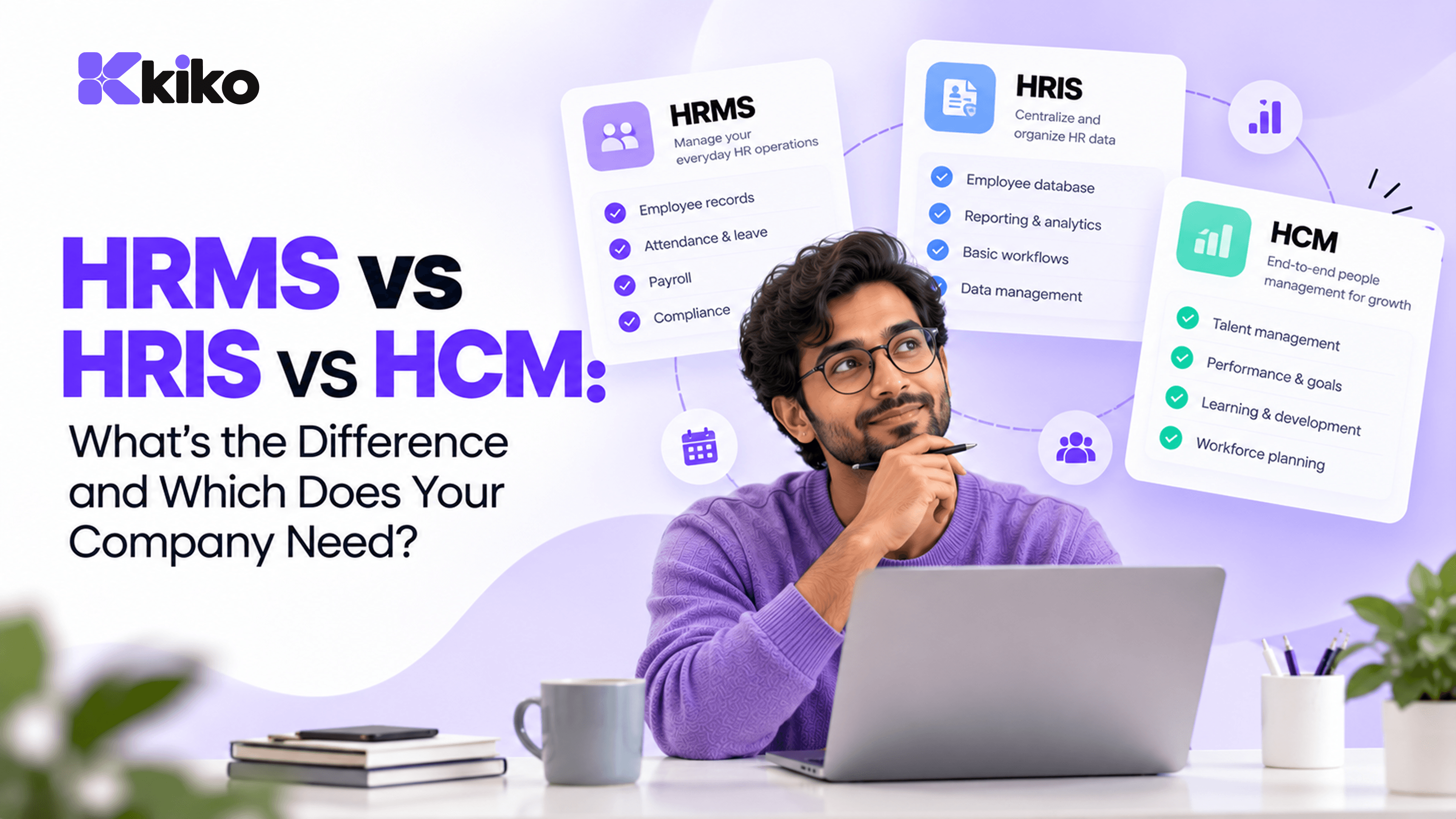
An HRIS stores employee records and core HR data. An HRMS adds the day-to-day processes on top, such as payroll, attendance, leave and onboarding. An HCM goes furthest, adding talent management like hiring, performance and workforce planning. Most small and mid-sized companies need an HRMS; large enterprises with complex talent programs often need an HCM.
HRIS vs HRMS vs HCM: what's the quick answer?
The three terms describe layers that build on each other. Each one includes most of what the previous one does and adds more. Vendors use the labels loosely, so treat this table as a guide to scope, then check the actual feature list of any product you consider.
| Capability | HRIS | HRMS | HCM |
|---|---|---|---|
| Core idea | System of record for employee data | Runs everyday HR operations | Manages the full employee lifecycle and talent strategy |
| Employee records and documents | Yes | Yes | Yes |
| Org chart and reporting lines | Yes | Yes | Yes |
| Leave and attendance | Sometimes, basic | Yes | Yes |
| Payroll runs | Rarely | Usually | Usually, or via a payroll partner |
| Onboarding workflows | Sometimes | Yes | Yes |
| Employee self-service | Basic profile access | Yes: payslips, leave, attendance, documents | Yes |
| Recruitment and applicant tracking | No | Sometimes | Yes |
| Performance, goals and learning | No | Sometimes, basic | Yes |
| Workforce planning and succession | No | Rarely | Yes |
| Typical fit | Very small teams, or as one part of a larger stack | Small and mid-sized companies | Large and multi-country enterprises |
In short: an HRIS answers "who works here?", an HRMS answers "are they paid, present and set up correctly?", and an HCM answers "are we hiring, developing and keeping the right people?"
What does an HRIS do?
HRIS stands for human resource information system. Its job is to be the single, accurate record of every employee. If your HR data lives in a spreadsheet today, an HRIS is the structured, access-controlled version of that spreadsheet.
A typical HRIS covers:
- Personal and job details: name, contact information, designation, department, manager, date of joining.
- Employment documents: offer letters, ID proofs, contracts and policy acknowledgements.
- Compensation history and bank details, with restricted access.
- Basic reports such as headcount by department, joiners and leavers.
- Permissions that control who can see salary and personal data.
An HRIS is valuable because everything else depends on it. Payroll, access to tools and reporting all go wrong if the core record is wrong. But on its own, an HRIS doesn't run processes. Your HR team still calculates leave balances, chases approvals and prepares payroll inputs elsewhere.
What does an HRMS add?
HRMS stands for human resource management system. It keeps the HRIS record at the centre and adds the workflows that HR runs every day and every month. For most growing companies, this is where the real time savings are.
- Payroll: salary structures, monthly payroll runs and payslips, using attendance and leave data so loss-of-pay days aren't re-keyed by hand. Our help guide on running payroll shows what a monthly run looks like in practice.
- Attendance: check-ins from web, mobile or biometric devices, shifts and overtime records.
- Leave: leave types, accrual rules, approvals and live balances that employees and managers can both see.
- Onboarding: checklists for documents, equipment and accounts, so a new hire is productive on day one.
- Employee self-service: employees download payslips, apply for leave and update their own details without emailing HR. The guide on employee self-service covers what employees can typically do themselves.
Self-service is the feature that changes HR's workload the most. Every leave request, payslip copy and address change that an employee handles directly is one less ticket for the HR team.
If you operate in India, check the payroll layer carefully. Statutory deductions such as PF, ESI, professional tax and TDS on salary vary in how much each HRMS calculates, reports or files for you. Ask for the exact list rather than accepting "compliant payroll" as an answer.
What does an HCM add?
HCM stands for human capital management. An HCM suite includes HRMS features and adds talent management, treating people as a long-term investment rather than an administrative process. Common HCM modules include:
- Recruitment: job requisitions, applicant tracking, interview scheduling and offer management.
- Performance management: goals, OKRs, review cycles, continuous feedback and calibration.
- Learning and development: course catalogues, training assignments and skills tracking.
- Compensation planning: salary bands, merit cycles and budget modelling.
- Workforce planning and succession: headcount plans, critical roles and successor pipelines.
- People analytics: attrition trends, diversity metrics and engagement data across business units.
These modules earn their cost when you have the scale and the HR team to run them. A structured succession program needs people who will maintain it. For a 60-person company, a lightweight review process and a good HRMS usually deliver more than an HCM suite that nobody has time to configure.
Which one fits your company size and stage?
Company size is a rough guide, not a rule. A 40-person company with complex shift work may need more than a 150-person consulting firm. Use the table below as a starting point, then adjust for how complicated your payroll, attendance and talent needs actually are.
| Stage | Typical HR pain | What usually fits |
|---|---|---|
| Founding team, under about 20 people | Offer letters and payroll done by founders or an outside accountant | A simple HRIS or a lightweight HRMS; avoid over-buying |
| Growing company, roughly 20 to 200 people | Leave tracking, attendance disputes, payroll errors, onboarding chaos | An HRMS with payroll, attendance, leave and self-service |
| Scaling company, roughly 200 to 1,000 people | Multiple locations, structured reviews, hiring at volume | An HRMS plus recruitment and performance modules, or a mid-market HCM |
| Enterprise, 1,000+ people or several countries | Talent strategy, succession, multi-country compliance | A full HCM suite, often with country-specific payroll partners |
Three questions help you decide between the layers:
- Who runs payroll today, and how long does it take? If the answer is "two people, three days, a lot of spreadsheets", you need an HRMS.
- Do you have a structured performance or hiring process that software would support? If not yet, an HCM's talent modules will sit unused.
- Which other systems need HR data? If sales, delivery or finance depend on headcount, availability or cost data, connectivity matters as much as HR features.
A useful rule of thumb is to buy for the next 18 to 24 months, not the next five years. Choose a system that covers today's processes well and lets you switch on more modules later, such as performance reviews or recruitment, without migrating your data again. Switching HR systems is painful, but so is paying for an HCM suite that sits half-configured while your team still runs payroll in spreadsheets.
Why should HR software connect to sales and operations data?
HR data rarely stays inside HR. Many of the questions leaders ask every week need people data combined with sales or project data:
- Commissions: payroll needs closed-won deal values from the CRM to pay sales incentives correctly.
- Staffing projects: delivery managers need to know who is on leave next week before they promise a go-live date.
- Project profitability: the cost of a project depends on whose time went into it and what those people cost.
- Access control: when someone leaves, their CRM, project and document access should end on their last working day.
- Hiring plans: a growing pipeline is the earliest signal that you'll need more delivery staff.
When HR, sales and operations live in separate tools, each of these becomes an export, a spreadsheet or a manual check. A business operating system puts them on one data layer instead. Kiko.one, for example, runs Kiko HRMS (people records, onboarding, leave, attendance, payroll runs and self-service) alongside Kiko Sales CRM and Kiko Operations, so the same employee record is used by every module.
That doesn't mean every company needs an all-in-one platform. If your HR needs are simple and your sales team is two people, a standalone HRMS is fine. The connection starts to pay off once handoffs between teams become a regular source of errors or delays.
Frequently asked questions
Is HRMS the same as HR software?
HRMS is one type of HR software. "HR software" is the umbrella term that also covers narrower tools such as applicant tracking systems, payroll-only tools and performance apps. An HRMS is the type that combines employee records with daily processes like payroll, attendance and leave.
Does an HRMS include payroll?
Most do, and payroll is one of the main reasons companies buy an HRMS. The depth varies a lot, especially for local statutory deductions and filings. Before you buy, ask the vendor to show a full payroll run with your salary structures and confirm which deductions are calculated, reported or filed.
What HR software do small businesses use?
Very small teams often start with spreadsheets and an outside accountant for payroll. As they grow past a couple of dozen people, most move to an HRMS that covers payroll, leave, attendance and self-service in one place. Few small businesses need a full HCM suite.
Can an HRMS integrate with a CRM?
Many can, either through built-in connectors or tools like Zapier. The alternative is a platform where the HRMS and CRM share one database, so there is nothing to sync. Shared data is simpler to maintain, while integrations let you keep tools you already like.
See an HRMS that works with the rest of your business
If you've decided an HRMS is the right layer for your company, see how Kiko HRMS handles payroll, leave and attendance in one place, connected to sales and operations. Explore Kiko for HR teams or book a demo to walk through a payroll run with your own setup in mind.