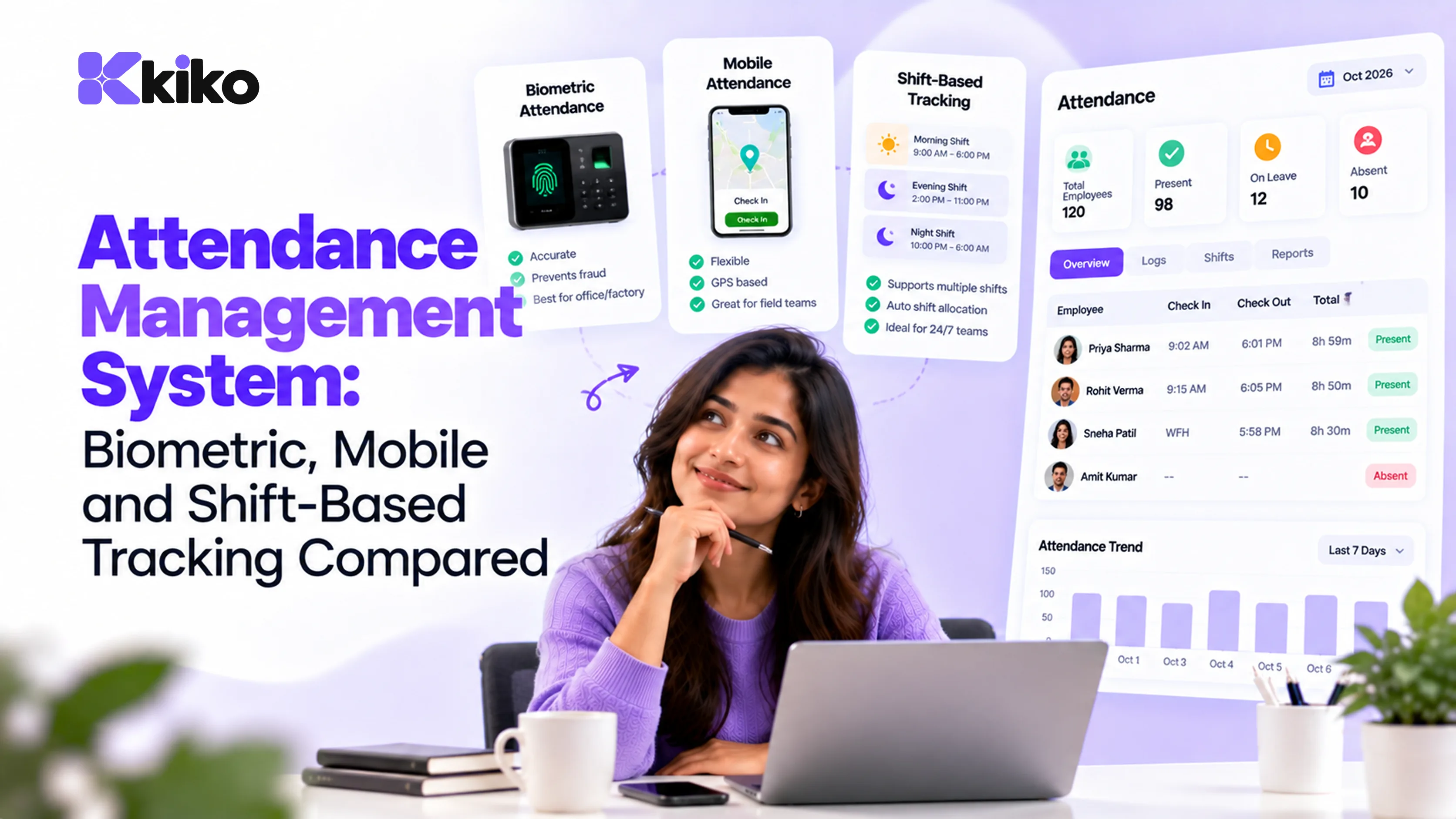
An attendance management system records when employees start and finish work and feeds that data into payroll. The main options are biometric devices (best for factories and fixed sites), mobile check-in with location (best for field and hybrid teams) and web clock-in (best for office and remote staff). Many companies combine two methods across locations.
Which attendance method should you use? A quick comparison
There is no single best attendance system. The right choice depends on where your people work, how much proxy attendance ("buddy punching") is a risk, and how cleanly the data needs to flow into payroll. This table compares the common methods used by Indian companies.
| Method | Best for | Proxy-proof? | Hardware needed | Main drawback |
|---|---|---|---|---|
| Fingerprint biometric | Factories, warehouses, single-site offices | High | Device at each gate | Fails with worn, oily or dusty fingers |
| Face recognition device | Plants, sites with hygiene concerns | High | Device at each gate | Lighting and camera angle affect accuracy |
| RFID or ID card | Large campuses with access control | Low (cards can be shared) | Readers and cards | Lost and shared cards |
| Mobile app with GPS geo-fence | Field sales, service technicians, multi-site teams | Medium (higher with selfie check) | Employee smartphones | GPS drift indoors, battery and data issues |
| Web or desktop clock-in | Office, hybrid and remote staff | Low to medium | None | Relies on trust or IP restrictions |
| Paper register / muster roll | Very small teams, backup only | Low | None | Manual entry into payroll, error-prone |
A useful rule: pick the method that matches the work location, not the one that is cheapest to buy. A ₹0 web clock-in is expensive if it means a payroll executive spends two days each month fixing missed punches.
Is biometric attendance worth it?
Biometric attendance ties a punch to a physical person, which is why it remains the default in manufacturing and other shop-floor settings. It is fast at shift change, works without smartphones, and removes most proxy attendance.
Pros
- Accuracy: each punch is tied to a fingerprint or face, so one worker cannot clock in for another.
- Speed: a good device reads in a second or two, which matters when a few hundred people arrive for the same shift.
- No dependency on phones: useful where workers don't carry smartphones or phones are not allowed on the floor.
Cons
- Fingerprint failure: manual work wears down fingerprints, and oil, cement or dust stop readers from matching. Face recognition devices usually handle this better.
- Hardware upkeep: devices need power backup, network connectivity, firmware updates and replacement when damaged.
- Data protection: biometric data is sensitive personal data, so you need clear notice, consent where required and secure storage (more on this in the FAQ).
What it costs
Cost has three parts: the devices themselves, installation and network setup at each gate, and the software that collects punches and sends them to payroll. Ask vendors for all three, plus the annual maintenance charge, before you compare quotes. Devices that only export a spreadsheet are cheaper up front but push the integration work onto your HR team every month.
How does mobile and geo-fenced attendance work?
With mobile attendance, employees check in from an app. The app records the time and the phone's location, and a geo-fence (a virtual boundary around an office, site or customer location) decides whether the check-in is valid.
It works well for teams that never visit one fixed gate: field sales, service engineers, merchandisers, site supervisors and staff who move between branches. To make it reliable:
- Set the geo-fence radius wide enough to absorb GPS drift (indoors, location can be off by tens of metres) but narrow enough to rule out checking in from home.
- Add a selfie at check-in for roles where proxy attendance is a concern.
- Allow offline check-ins that sync later, for sites with poor network coverage.
- Track location only at check-in and check-out unless the role genuinely needs more. Continuous tracking raises privacy concerns and drains batteries.
When does web or desktop clock-in make sense?
For office, hybrid and remote employees, a clock-in button in the browser or HR app is usually enough. You can restrict office check-ins to your office network's IP addresses and let remote employees check in from anywhere.
For knowledge workers, attendance is less about policing and more about knowing who is available, applying leave correctly and calculating pay for days worked. Keep it light: one clock-in, one clock-out, and an easy way to mark work from home or on-duty days.
How should you handle shifts, overtime and late marks?
This is where attendance systems earn their keep. Recording a punch is easy; turning punches into payable hours under your policy is the hard part.
Shifts
Assign every employee a shift (for example 06:00–14:00, 14:00–22:00, 22:00–06:00, or a general shift). The system should match each punch to the right shift and handle night shifts that cross midnight by counting the hours against the shift's start date. If you run rotating patterns across several lines, see how Kiko supports manufacturing teams with people, attendance and operations data in one place.
Overtime
Overtime is the time worked beyond the standard limit. For factory workers covered by the Factories Act, 1948, overtime applies beyond 9 hours in a day or 48 hours in a week and must be paid at twice the ordinary rate of wages. Shops and establishments follow state laws, which set their own limits. India's new labour codes and state rules may change these specifics, so confirm the rules that apply to you.
| Step | Formula | Example |
|---|---|---|
| 1. Hourly ordinary rate | Monthly ordinary wages ÷ working days ÷ hours per day | ₹20,800 ÷ 26 ÷ 8 = ₹100 |
| 2. Overtime hours | Hours worked beyond the daily or weekly limit | 10 hours in the month |
| 3. Overtime pay | Overtime hours × hourly rate × 2 | 10 × ₹100 × 2 = ₹2,000 |
The divisor (26 days and 8 hours here) is a common practice, not a universal rule. What counts as "ordinary rate of wages" is defined in law, so check the definition and your state's rules with your payroll adviser.
Late marks and early exits
Most companies set a grace period (say 10 minutes) and a rule for repeated late arrivals, such as converting a fixed number of late marks into a half-day of leave. Whatever you choose, write it into the attendance policy, apply it automatically, and let employees see their own late marks so disputes are settled before payroll closes.
How do you connect attendance to leave and payroll?
Attendance data is only useful when it reaches payroll without being retyped. A connected setup works like this:
- Punches are matched to shifts and turned into present, absent, half-day, late or overtime for each day.
- Approved leave is applied so a day on leave is not marked absent. (Our guide to setting up a leave management system covers leave types and approval workflows.)
- Exceptions are resolved: missed punches and regularisation requests are approved by managers before the cut-off date.
- Payable days and overtime hours flow into the payroll run, where loss of pay and overtime pay are calculated. Our step-by-step guide to payroll calculation in India shows what happens next.
- The period is locked so attendance can't change after salaries are paid without a recorded correction.
When attendance, leave and payroll sit in separate tools, steps 2 to 4 become a spreadsheet exercise every month. In Kiko HRMS, attendance and leave live on the same records as payroll, so a payroll run uses the attendance and leave data that is already there. The help guide on running payroll in Kiko walks through the process.
Frequently asked questions
Is biometric attendance legal in India?
Yes, biometric attendance is legal and widely used in India. Biometric data is treated as sensitive personal data under the IT (Reasonable Security Practices and Procedures and Sensitive Personal Data or Information) Rules, 2011, and personal data generally is covered by the Digital Personal Data Protection Act, 2023, whose rules are being phased in. Tell employees what you collect and why, take consent where required, store templates securely, and check current obligations with legal counsel.
How do I track attendance for remote employees?
Use web or app clock-in, with location capture only if the role requires it. Pair it with a clear work-from-home policy and a simple way to mark on-duty and WFH days. For most remote roles, tracking availability and output works better than monitoring screens.
How is overtime calculated from attendance?
The system compares hours worked against the daily and weekly limits for the employee's shift and category. Hours above the limit are multiplied by the hourly ordinary rate and the overtime multiplier, which is twice the ordinary rate under the Factories Act. Confirm the limits and wage definition that apply in your state.
Can attendance sync automatically to payroll?
Yes, if the attendance system and payroll share data or are properly integrated. The cleanest setup is one where attendance, leave and payroll use the same employee records, so payable days and overtime reach the payroll run without exports or re-entry.
See attendance flowing into payroll
If your team still reconciles punches, leave and payroll by hand each month, it's worth seeing the connected version. Book a Kiko demo to see attendance and leave feeding straight into a payroll run.